

From quote to final bill,
one job at a time.
JoeFlow runs the whole construction loop: estimates clients accept from their phone, jobs born from won deals, vendor quotes compared before you buy, daily logs from the site, and progress billing that holds retainage without a spreadsheet. Every module included — flip on what the business needs.
How the work flows
The construction management loop, end to end
Each step runs in the same workspace, on the same data — nothing re-typed, nothing exported.

- 1
Quote itInvoices · Estimates
Estimates from templates with a public accept link — the client approves from their phone and the job is real.
- 2
Job itProjects · CRM
Won deals become projects automatically, with budget, hourly rate, and the customer attached.
- 3
Buy itAcquisition · Stock
Send the list to three lumber yards, compare first-year totals side by side, split the award line by line.
- 4
Build itProjects · Workforce
Daily logs with photos and weather, punch lists, Gantt dependencies, crew time against the budget.
- 5
Bill itInvoices
Progress draws against the estimate, retainage held and released, pay links that collect by card.
The part clients remember
Change orders and a client portal clients actually use
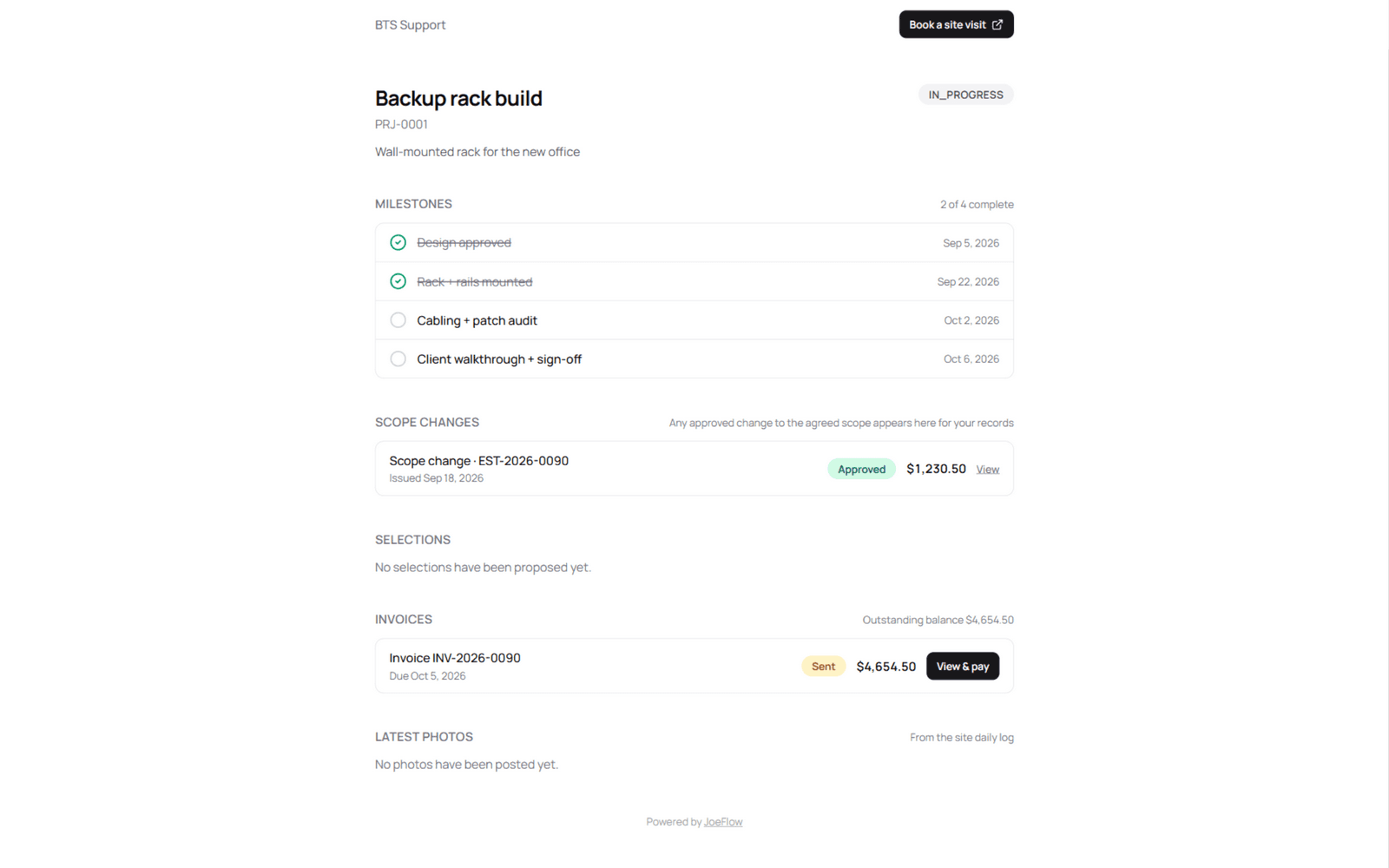
Scope changes kill margins when they live in texts. In JoeFlow a change order is created on the job, the client accepts it from a public link — no login, no app — and the accepted amount amends the budget. The client portal ties it together: milestones, approved change orders, invoices with pay-now links, the latest site photos, even a booking link for the next walkthrough.
- Change orders: created on the job, accepted from a public page, budget amends itself
- Progress draws: percent-based, capped at 100%, retainage held back and released on payment
- Job costing live: POs + labor roll into budget-vs-actual — never shown to the client
- Daily logs with photos feed the portal automatically
Built for this work
What construction management gets out of the box
Not a roadmap — every one of these ships today, included for every user.
Change orders without the fight
Scope creep becomes a line item: create it on the job, send the link, and the client's acceptance amends the budget — with the paper trail on the invoice ledger.
Progress billing with retainage
Draw schedules as a percent of the accepted estimate, capped so draws never over-bill, with the holdback carved out of every line and released when the job's paid.
Deposits before mobilization
Take a percent or a flat deposit before the crew rolls — it rides the same invoice with a card pay link, net of nothing.
Job costing that adds itself
Purchase orders, split awards, and crew hours roll up against the budget automatically — margin visible mid-build, not at tax time.
Buy right, stock the truck
Compare vendor quotes across lumber yards and suppliers, award whole or split, and receive into locations — the truck, the shop, the site.
Equipment, depreciation, warranty
Every machine and tool with custody history, preventive maintenance, straight-line or MACRS depreciation, and warranty expiry sweeps.
Site visits that book themselves
Estimate walkthroughs and site visits as bookable event types — the portal hands clients a link and the calendar fills itself.
1099s and filings from live numbers
Subcontractor payments roll into 1099 packets, equipment into depreciation schedules, and sales tax into liability reports — no January scramble.
Modules this workspace leans on
Pre-selected by the setup wizard — and since every module is on for everyone, the rest are one toggle away.
Plays well with
Explore more industries
Roadside stands & cart vendors
Card payments at the cart — print the QR sign, customers scan and pay through your own Stripe.
Skilled trades
Service calls and installs — plumbing, HVAC, electrical, and more, booked to paid in one flow.
Field & property services
Lawn, pool, cleaning, pest — recurring routes that book and bill themselves.
Auto detailing
Detailing, tint, and wraps — booked, polished, photographed, rebooked.
Auto repair
Estimates, repair orders, and parts — from drop-off to pickup.
Moving & hauling
Moves, junk removal, and delivery — quoted, crewed, done.
Comparing tools?
See how JoeFlow stacks up against the platforms construction management teams use today — honest feature tables, published pricing, migration notes.
Set up your construction management workspace in minutes
Answer the wizard's questions and start with the modules that matter — the rest are already included whenever you need them.
Prefer to look around first? Explore a seeded demo workspace — no account needed.